


Client Onboarding for Coaches: The Professional System Every Coaching Business Needs

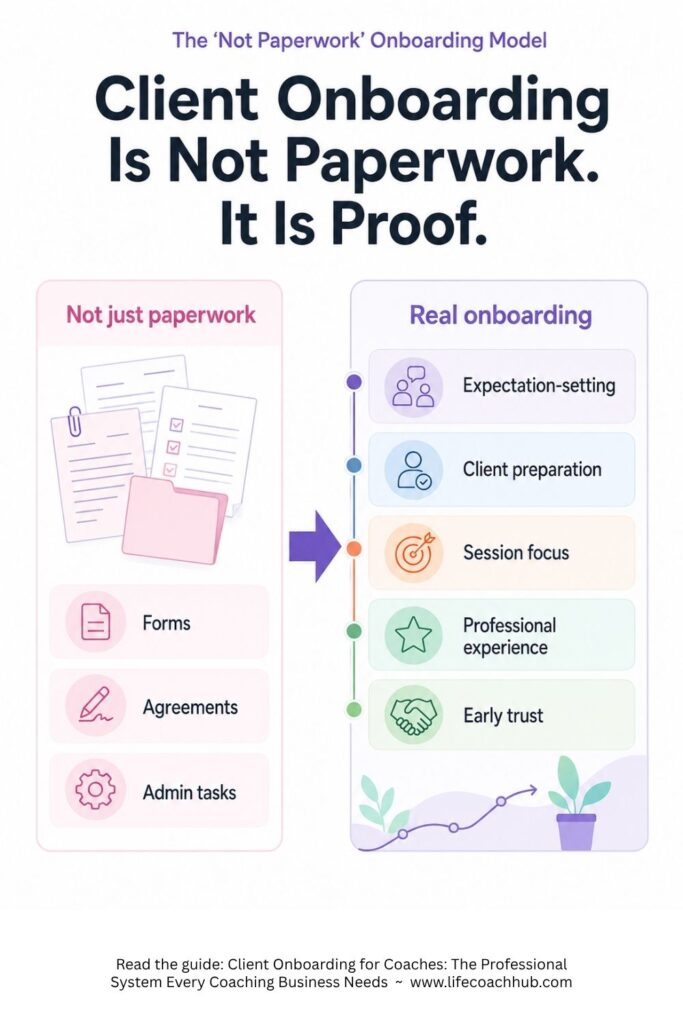
Client onboarding is not paperwork.
It is the first proof that your coaching business has a real system.
When a new client books with you, they are watching what happens next. They want to know whether you are organized, whether the process is clear, and whether they made a smart decision by hiring you.
That first experience matters. If onboarding feels scattered, the client starts with uncertainty. If onboarding feels professional, the client starts with confidence.
For life coaches, client onboarding is the path that takes a new client from booked to prepared. It sets expectations, collects the right information, protects the coaching relationship, and helps you walk into session one with clarity instead of guesswork.
A strong onboarding system saves time and makes your coaching feel more valuable before the first session even begins.
SEE ALSO: If you’re a coach looking to streamline your administrative tasks and save time, check out our Coaching Administration Software. It’s a simple, effective solution designed to help you focus less on paperwork and more on what matters—coaching your clients. From scheduling to client management, our software gives you the tools to run your business efficiently. Ready to reclaim your time and boost productivity? Click or tap here.
Key Takeaways
- Client onboarding for coaches should move a new client from booked to prepared, not just collect forms.
- A professional onboarding system includes a booking confirmation, welcome message, coaching agreement, intake questions, first-session preparation, client materials, and coach review.
- A strong life coaching intake process should separate basic client background from coaching-specific goals, challenges, expectations, and focus areas.
- Session prep questions are different from onboarding questions. They help each session start with focus after the client relationship has already begun.
- LCH Core can support this workflow with welcome packages, coaching agreements, personal information forms, coaching information forms, client records, coaching plans, worksheets, and the client portal/app.
What is client onboarding for coaches?
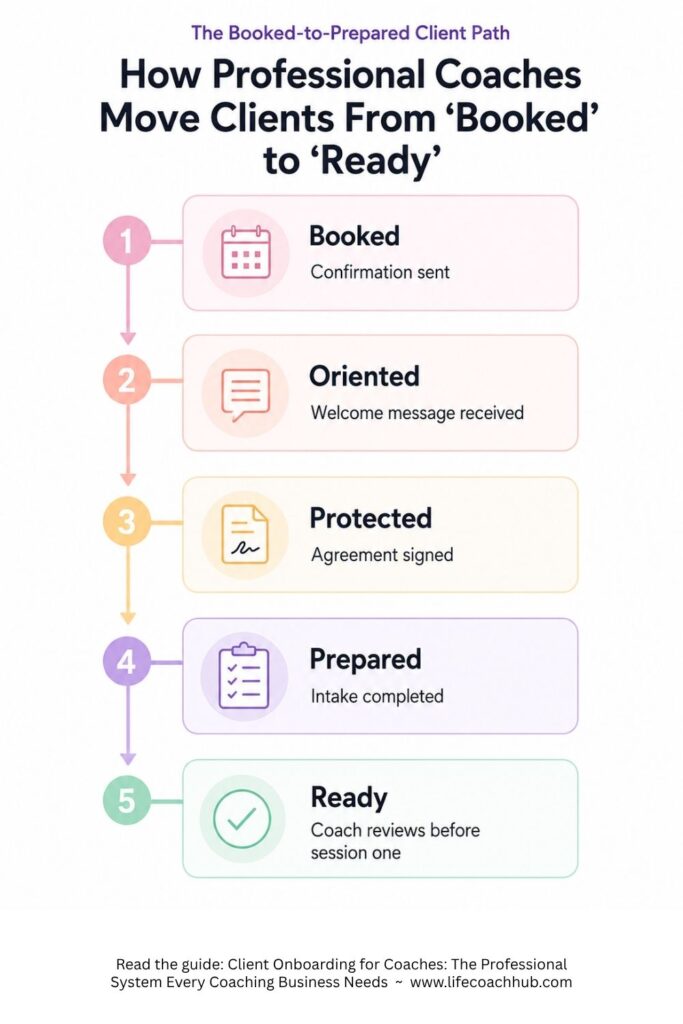
Client onboarding for coaches is the repeatable process that takes a new client from booking or purchasing coaching to being fully prepared for the first session.
It usually includes a booking confirmation, welcome message, coaching agreement, intake questions, first-session preparation, client materials, client access instructions, and coach review before session one.
In plain English, onboarding answers two big questions.
For the client: What happens next?
For the coach: What do I need to know before I coach this person?
That is why onboarding is not a side task. It is part of the client experience.
SEE ALSO: If you’re a coach looking to streamline your administrative tasks and save time, check out our Coaching Administration Software. It’s a simple, effective solution designed to help you focus less on paperwork and more on what matters—coaching your clients. From scheduling to client management, our software gives you the tools to run your business efficiently. Ready to reclaim your time and boost productivity? Click or tap here.
A professional onboarding process tells your client they are in the right place. It shows them there is a process, a structure, and a coach who knows how to guide the relationship from the start.
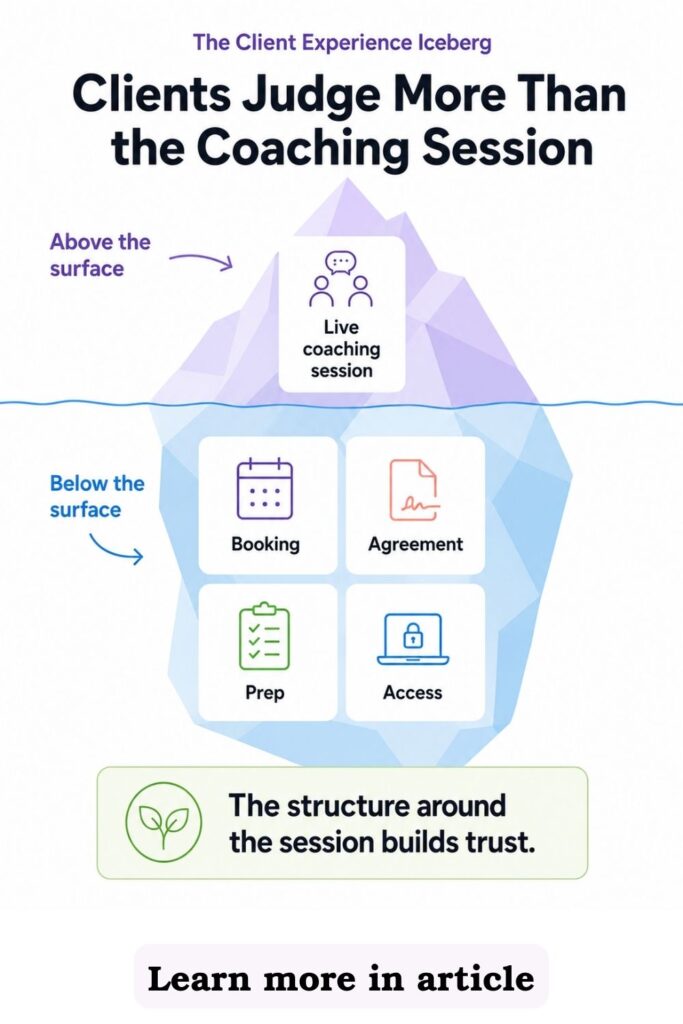
And that matters, because clients do not only judge your coaching by what happens inside the session. They also judge the structure around the session.
Why does coaching client onboarding matter so much?
Coaching client onboarding matters because the first client experience sets the tone for the whole relationship.
A new client may already trust your coaching ability. But now they need to trust your process.
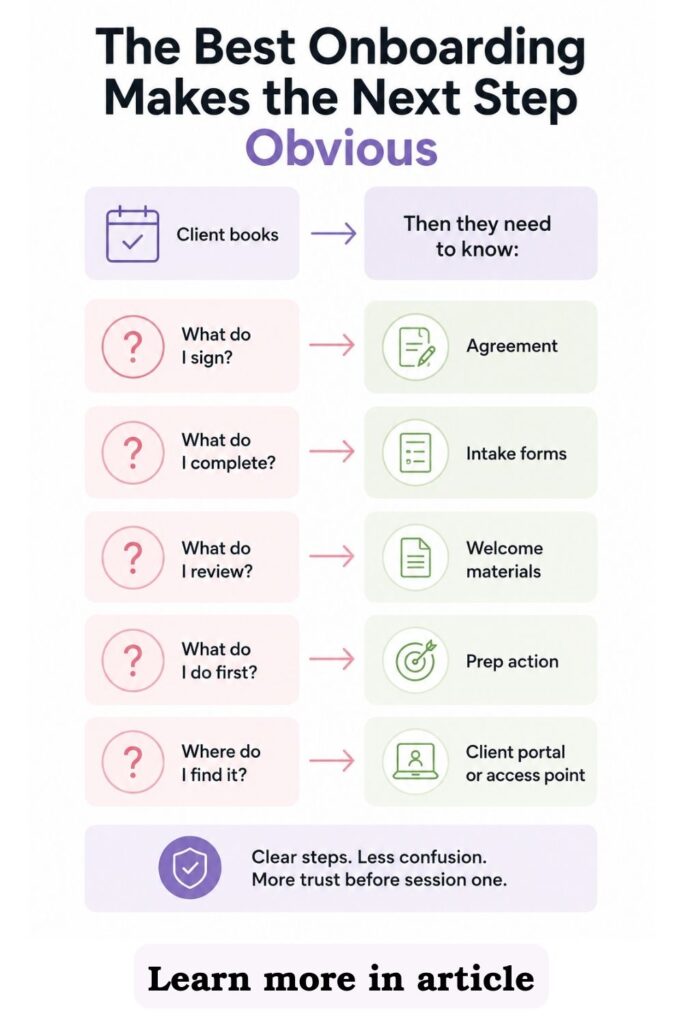
If the process is unclear, they start asking questions that should already be answered. Did my booking go through? Where is the agreement? What do I need to fill out? Where is the call link? Should I prepare anything?
That is unnecessary friction.
SEE ALSO: If you’re a coach looking to streamline your administrative tasks and save time, check out our Coaching Administration Software. It’s a simple, effective solution designed to help you focus less on paperwork and more on what matters—coaching your clients. From scheduling to client management, our software gives you the tools to run your business efficiently. Ready to reclaim your time and boost productivity? Click or tap here.
Professional onboarding removes that friction. It gives the client one clear path and gives you the information you need to coach well.
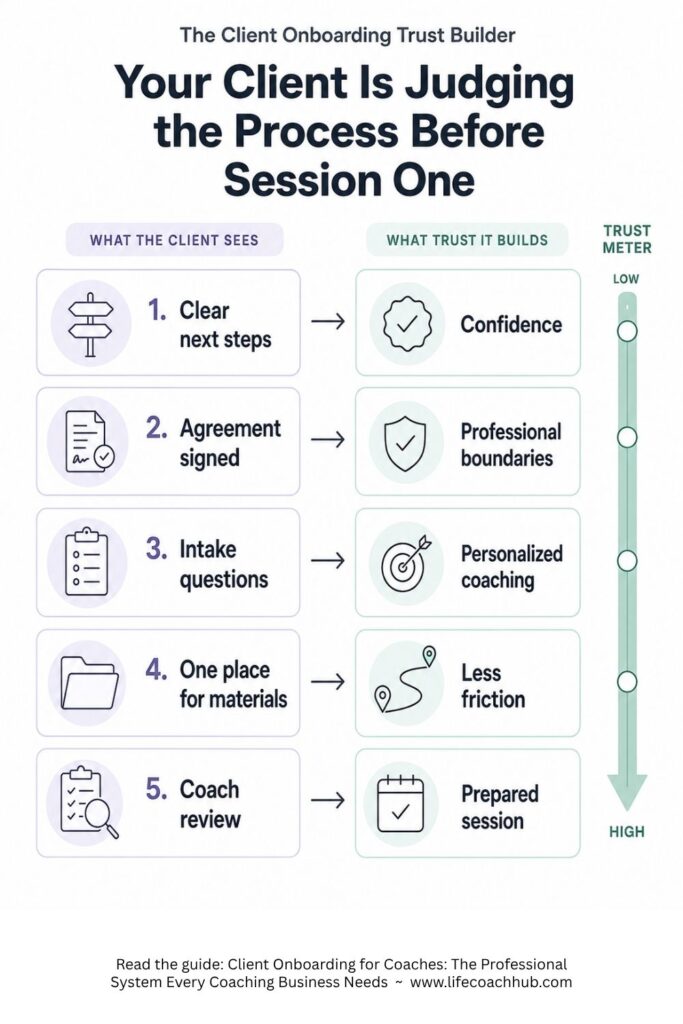
The right onboarding system helps you:
- Reduce back-and-forth
- Get agreements signed before coaching begins
- Collect useful client information
- Set expectations early
- Prepare better first sessions
- Store client details in one place
- Create a stronger client experience
- Build trust before session one
This is where many coaches quietly lose authority. Not because they are bad coaches, but because their setup process does not match the quality of their coaching.
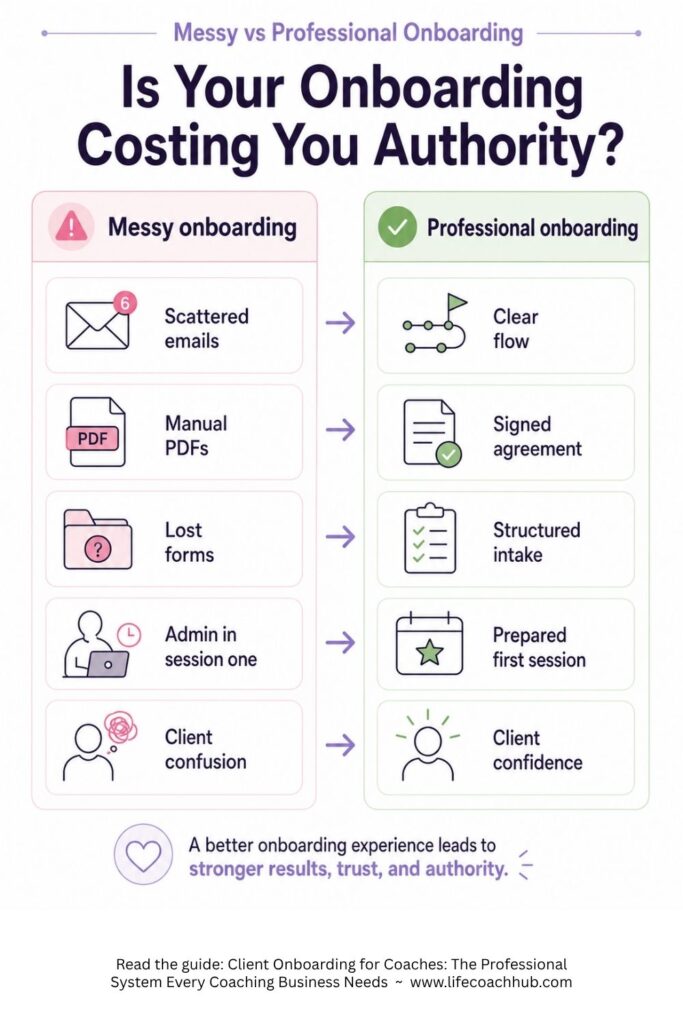
Messy onboarding vs professional onboarding
The difference between messy onboarding and professional onboarding is not personality. It is process.
| Messy onboarding | Professional onboarding |
|---|---|
| Client books, then waits for scattered next steps | Client receives a clear booking confirmation and next-step message |
| Agreement is sent manually as a PDF or attachment | Coaching agreement is included in the onboarding flow |
| Background and coaching questions are buried in emails | Client information is collected through a structured intake process |
| Coach asks basic questions again in session one | Coach reviews client goals, challenges, and context before the first call |
| Client is unsure where to find links, worksheets, or prep work | Client has one clear place to access materials |
| Coach rebuilds the process for every client | Coach uses a repeatable new client workflow |
| First session starts with admin cleanup | First session starts with focus, clarity, and momentum |
| Client experience feels improvised | Client experience feels professional and high-value |
Messy onboarding makes your client work too hard.
Professional onboarding makes the next step obvious.
SEE ALSO: If you’re a coach looking to streamline your administrative tasks and save time, check out our Coaching Administration Software. It’s a simple, effective solution designed to help you focus less on paperwork and more on what matters—coaching your clients. From scheduling to client management, our software gives you the tools to run your business efficiently. Ready to reclaim your time and boost productivity? Click or tap here.
That is the standard serious coaches need, especially if you want more clients, stronger retention, and a business that can grow without you rebuilding everything manually.
If your current setup depends on schedulers, payment links, PDFs, forms, spreadsheets, and scattered folders, it may be time to compare what the best coaching software for life coaches should actually help you manage.
What should a professional coaching onboarding system include?
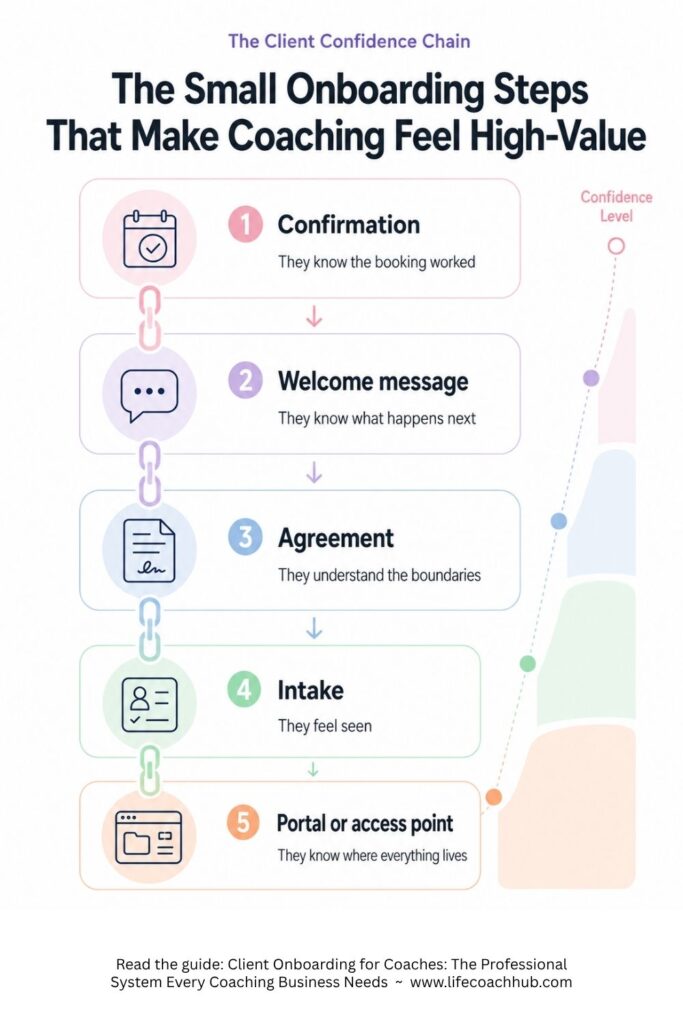
A professional coaching onboarding system should include every step that moves the client from “I booked” to “I am ready to begin.”
You do not need a complicated system. You need a complete one.
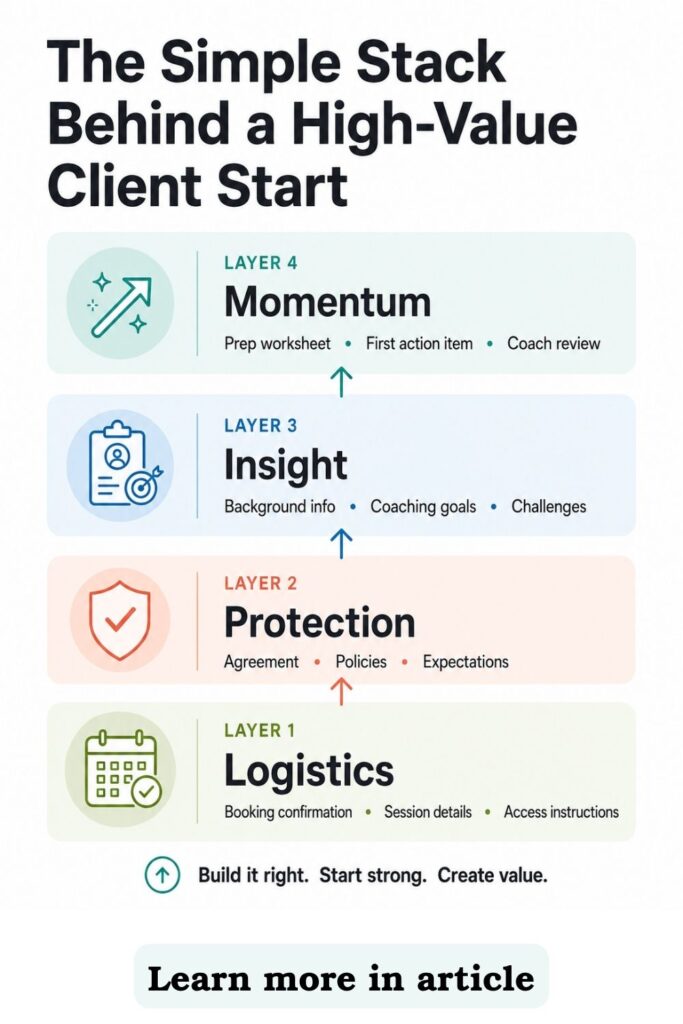
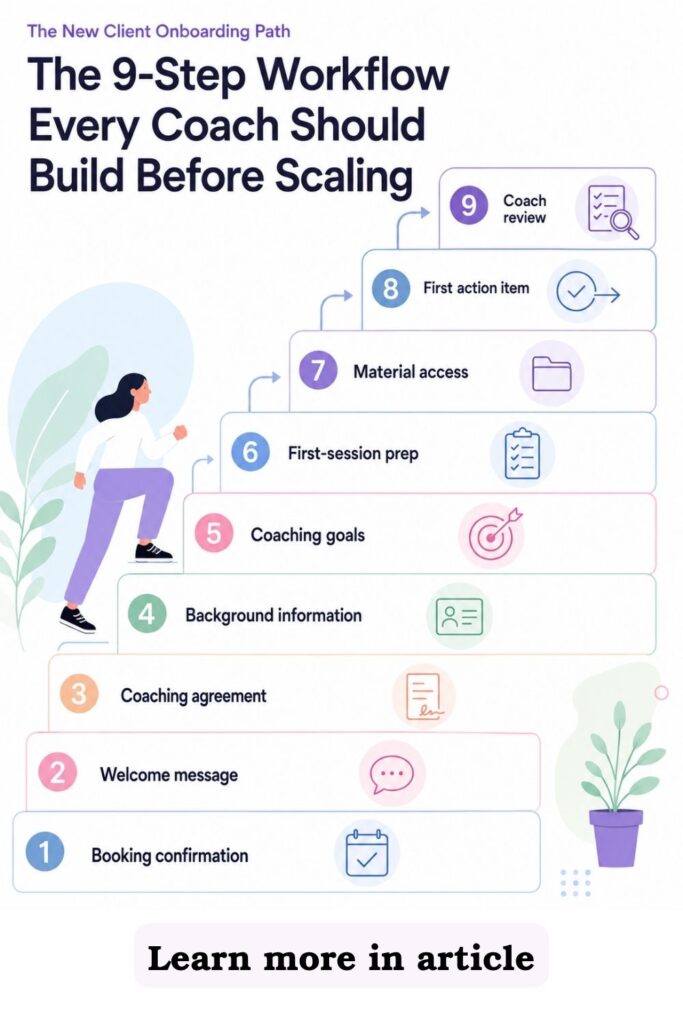
The New Client Onboarding Path includes nine core steps:
- Booking confirmation
- Welcome message
- Coaching agreement
- Client background information
- Coaching goals and expectations
- First-session preparation
- Client materials and access instructions
- First action item, worksheet, or resource
- Coach pre-session review
Each step has a job.
SEE ALSO: If you’re a coach looking to streamline your administrative tasks and save time, check out our Coaching Administration Software. It’s a simple, effective solution designed to help you focus less on paperwork and more on what matters—coaching your clients. From scheduling to client management, our software gives you the tools to run your business efficiently. Ready to reclaim your time and boost productivity? Click or tap here.
Together, they create a clear client-start system that protects your time, improves the first session, and makes the client feel guided from day one.
The New Client Onboarding Path
The New Client Onboarding Path is the workflow every coach should build before trying to take on more clients.
Because more clients without a system usually means more admin. More searching. More repeated emails. More forgotten details. More “Where did I put that form?” energy.
A better workflow fixes that.
1. What should happen immediately after a client books?
The first step is booking confirmation.
Your client should never wonder whether their booking worked. A strong booking confirmation gives them the basic logistics and tells them what to expect next.
SEE ALSO: If you’re a coach looking to streamline your administrative tasks and save time, check out our Coaching Administration Software. It’s a simple, effective solution designed to help you focus less on paperwork and more on what matters—coaching your clients. From scheduling to client management, our software gives you the tools to run your business efficiently. Ready to reclaim your time and boost productivity? Click or tap here.
A strong booking confirmation should include:
- Date and time
- Time zone
- Meeting method
- Payment status, if relevant
- Rescheduling rules
- What happens next
- What the client needs to complete
- Where to access onboarding materials
This is also where your new client workflow begins.
If the booking confirmation is only a calendar invite, it is probably not doing enough. A calendar invite confirms the appointment, but it does not guide the client into the coaching process.
A cleaner session workflow helps you schedule, track, and manage coaching sessions without turning every new booking into manual admin.
This matters even more if you use free discovery calls, paid consults, or package sessions. The easier you make it for a client or prospect to book the right session, the less likely they are to disappear in the gap between interest and action.
If discovery calls are one of your main conversion tools, they should sit inside a clear coaching funnel instead of depending on random interest, scattered DMs, or slow manual follow-up.
SEE ALSO: If you’re a coach looking to streamline your administrative tasks and save time, check out our Coaching Administration Software. It’s a simple, effective solution designed to help you focus less on paperwork and more on what matters—coaching your clients. From scheduling to client management, our software gives you the tools to run your business efficiently. Ready to reclaim your time and boost productivity? Click or tap here.
2. How do you make the client feel guided from day one?
The next step is the welcome message.
This is where you set the tone. Your welcome message does not need to be long, but it does need to be clear.
A good welcome message tells the client:
- You are glad they are here
- What happens next
- What they need to complete
- How to access materials
- How to prepare for session one
- Where to ask questions
This is where many coaches accidentally create confusion.
They send the agreement in one email, background questions in another, coaching questions in another, the worksheet in another, and the session link somewhere else. Then they wonder why clients miss things.
A strong welcome package helps you onboard your clients professionally with a welcome package instead of sending every new client through a different version of the same manual process.
SEE ALSO: If you’re a coach looking to streamline your administrative tasks and save time, check out our Coaching Administration Software. It’s a simple, effective solution designed to help you focus less on paperwork and more on what matters—coaching your clients. From scheduling to client management, our software gives you the tools to run your business efficiently. Ready to reclaim your time and boost productivity? Click or tap here.
The goal is not to bury the client in documents. The goal is to make the first step feel obvious, organized, and high-value.
3. What expectations need to be clear before coaching begins?
Your coaching agreement should be completed before session one.
This is not just legal admin. It is expectation-setting.
A coaching agreement can clarify:
- Scope of coaching
- Session length
- Session cadence
- Payment terms
- Package terms
- Cancellation policy
- Rescheduling policy
- Communication expectations
- Confidentiality boundaries
- Client responsibility
- Coach responsibility
The agreement protects the coaching relationship because it puts the rules of engagement in writing.
Without a clear agreement, you are more likely to run into boundary problems later. Clients may expect unlimited messaging, last-minute rescheduling, unclear refunds, or support that falls outside the coaching relationship.
SEE ALSO: If you’re a coach looking to streamline your administrative tasks and save time, check out our Coaching Administration Software. It’s a simple, effective solution designed to help you focus less on paperwork and more on what matters—coaching your clients. From scheduling to client management, our software gives you the tools to run your business efficiently. Ready to reclaim your time and boost productivity? Click or tap here.
A professional coaching agreement belongs inside your onboarding process, not buried in a separate email thread.
Important note: this is not legal advice. Coaches should consult a qualified legal professional for legal requirements in their location, niche, and business model.
4. What client background information should you collect?
A strong onboarding process collects basic client background before coaching begins.
This is the practical context you may want to know as the coaching relationship develops. It may include contact details, family context, work information, general background, or other client-specific details that help you understand the person behind the goals.
This is different from coaching-specific information.
Client background information answers: Who is this client?
SEE ALSO: If you’re a coach looking to streamline your administrative tasks and save time, check out our Coaching Administration Software. It’s a simple, effective solution designed to help you focus less on paperwork and more on what matters—coaching your clients. From scheduling to client management, our software gives you the tools to run your business efficiently. Ready to reclaim your time and boost productivity? Click or tap here.
Coaching information answers: What does this client want from coaching?
That distinction matters because both types of information are useful, but they serve different jobs. If you force everything into one oversized life coaching intake form, the process can become clunky for the client and harder for you to review.
A cleaner intake process separates basic background from coaching context. That way you can understand the person, then understand the coaching focus.
5. What coaching information should you collect before session one?
Coaching information is the part of onboarding that helps you understand what the client wants from coaching.
This is where the client can share their goals, current challenges, recent successes, expectations, priorities, and what they want help with. It gives you coaching context before the first session begins.
A strong coaching intake process may ask about:
SEE ALSO: If you’re a coach looking to streamline your administrative tasks and save time, check out our Coaching Administration Software. It’s a simple, effective solution designed to help you focus less on paperwork and more on what matters—coaching your clients. From scheduling to client management, our software gives you the tools to run your business efficiently. Ready to reclaim your time and boost productivity? Click or tap here.
- What the client wants to get out of coaching
- What made them seek coaching now
- Current challenges
- Recent successes
- Main goals
- What they have already tried
- What they want from the coaching relationship
- What would make the coaching experience valuable
- What they want to focus on first
This is the information that helps you start session one with stronger direction.
The right coaching forms and tools make intake easier to collect, review, and use instead of leaving client answers buried in attachments.
If you use LCH Core, this distinction is built into the welcome package structure. The personal information form captures background details, while the coaching information form captures goals, challenges, successes, expectations, and what the client wants from coaching.
6. How do coaching intake questions make the first session sharper?
Coaching intake questions help you find the real starting point.
They are different from basic biographical questions. Biographical questions help you understand the client’s background, while coaching intake questions help you understand what they want to work on.
Strong coaching intake questions might include:
SEE ALSO: If you’re a coach looking to streamline your administrative tasks and save time, check out our Coaching Administration Software. It’s a simple, effective solution designed to help you focus less on paperwork and more on what matters—coaching your clients. From scheduling to client management, our software gives you the tools to run your business efficiently. Ready to reclaim your time and boost productivity? Click or tap here.
- What made now the right time to begin coaching?
- What would make our first session valuable?
- What goal matters most in the next 30 to 90 days?
- What have you already tried?
- What keeps getting in the way?
- What has been working recently?
- What challenge feels most important right now?
- What kind of support do you want from coaching?
- What would success look like at the end of this package?
These questions help the client reflect before the first session. That gives you a better first call because you are not starting cold.
Instead of spending the first part of the session warming up, clarifying, and searching for a focus, you start closer to the real issue.
This is especially useful for established coaches who work with clients around deeper goals, bigger decisions, or longer-term transformation. The better the preparation, the stronger the session.
7. What are session prep questions?
Session prep questions are short questions that help each session start with focus.
These are not the same as onboarding questions. Onboarding questions prepare the coaching relationship, while session prep questions prepare a specific coaching session.
A simple session prep process might ask:
SEE ALSO: If you’re a coach looking to streamline your administrative tasks and save time, check out our Coaching Administration Software. It’s a simple, effective solution designed to help you focus less on paperwork and more on what matters—coaching your clients. From scheduling to client management, our software gives you the tools to run your business efficiently. Ready to reclaim your time and boost productivity? Click or tap here.
- What have been your successes since our last session?
- What challenges have come up since our last session?
- What would you like to focus on in our next session?
Think of these questions as a simple session agenda.

They help the client reflect before the call, and they help you walk into the session with context. That means less warming up and more useful coaching time.
If you use LCH Core, coaching plans are built for this. They are short pre-session question sets that help each session begin with a clear focus.
The welcome process prepares the relationship. Session prep questions prepare the session.
8. What should the client do before the first session?
First-session preparation should be simple.
Do not overload the client. The goal is readiness, not homework fatigue.
SEE ALSO: If you’re a coach looking to streamline your administrative tasks and save time, check out our Coaching Administration Software. It’s a simple, effective solution designed to help you focus less on paperwork and more on what matters—coaching your clients. From scheduling to client management, our software gives you the tools to run your business efficiently. Ready to reclaim your time and boost productivity? Click or tap here.
A good first-session prep flow may ask the client to:
- Sign the coaching agreement
- Complete background information
- Complete coaching intake questions
- Review coaching expectations
- Choose one priority goal
- Complete one short worksheet or resource, if helpful
- Log into the client portal/app, if using one
- Confirm session details
That is enough.
If you send too much before session one, you create friction. The client may delay, skip steps, or arrive feeling like onboarding is a chore.
Give them what they need to begin well. Not your entire method, not every worksheet you have ever made, and not a 27-step client prep maze.
Clear wins.
9. Where should the client find everything?
The client should have one clear place to access their coaching materials.
SEE ALSO: If you’re a coach looking to streamline your administrative tasks and save time, check out our Coaching Administration Software. It’s a simple, effective solution designed to help you focus less on paperwork and more on what matters—coaching your clients. From scheduling to client management, our software gives you the tools to run your business efficiently. Ready to reclaim your time and boost productivity? Click or tap here.
Not email. Not five folders. Not a payment platform, a scheduling platform, a Google Drive folder, a separate worksheet tool, and a random message thread.
A client portal/app can give clients access to:
- Agreements
- Forms
- Worksheets
- Session notes
- Goals
- Action items
- Journals
- Resources
- Progress history
- Session details
This matters because coaching does not only happen during live sessions.
Clients need a place to return to between calls. They need to know what they agreed to do, what goals they are working toward, and what resources you sent them.
Client records matter on your side too.
A system that helps you keep track of client data, session notes, and progress gives you a cleaner way to manage the full relationship without hunting through emails and documents.
SEE ALSO: If you’re a coach looking to streamline your administrative tasks and save time, check out our Coaching Administration Software. It’s a simple, effective solution designed to help you focus less on paperwork and more on what matters—coaching your clients. From scheduling to client management, our software gives you the tools to run your business efficiently. Ready to reclaim your time and boost productivity? Click or tap here.
This is where a coaching business starts to feel like a real operation.
10. How do you create momentum before session one?
Give the client one first action item, worksheet, or resource.
Keep it small. The point is to create movement before the first call, not pressure.
A first action item might be:
- Complete a values reflection
- Choose one priority goal
- Track one pattern for 48 hours
- Write a short “what I want from coaching” note
- Complete a readiness worksheet
- Identify three obstacles
- Reflect on what has worked before
This sends the right message.
Coaching is active. It is not just conversation. It is reflection, action, accountability, and follow-through.
SEE ALSO: If you’re a coach looking to streamline your administrative tasks and save time, check out our Coaching Administration Software. It’s a simple, effective solution designed to help you focus less on paperwork and more on what matters—coaching your clients. From scheduling to client management, our software gives you the tools to run your business efficiently. Ready to reclaim your time and boost productivity? Click or tap here.
The coaching tools that keep clients engaged between sessions also help make the value of coaching more visible before motivation slips.
That matters for retention. Clients stay when they see progress, feel supported, and understand the work they are doing between sessions.
11. What should the coach review before session one?
The final onboarding step belongs to you.
Before the first session, review the client’s materials. Do not collect forms and then ignore them.
Before session one, review:
- Signed agreement status
- Background information
- Coaching intake responses
- Priority goals
- Current challenges
- Recent successes
- Coaching expectations
- Communication preferences
- First worksheet or action item, if assigned
- Any expectations that need clarification
You should walk into session one knowing why this client booked, what they want, what they believe is getting in the way, and what they expect from you.
SEE ALSO: If you’re a coach looking to streamline your administrative tasks and save time, check out our Coaching Administration Software. It’s a simple, effective solution designed to help you focus less on paperwork and more on what matters—coaching your clients. From scheduling to client management, our software gives you the tools to run your business efficiently. Ready to reclaim your time and boost productivity? Click or tap here.
You should also know what the first session needs to accomplish.
That is how you start with authority.
This is where onboarding becomes a coaching advantage. You are not improvising. You are prepared.
The client onboarding checklist for coaches
Use this checklist to build your own new client workflow.
| Onboarding step | Purpose | Coach action | Client action |
|---|---|---|---|
| Booking confirmation | Confirm logistics and next steps | Send or automate confirmation | Review date, time, and instructions |
| Welcome message | Set tone and explain the process | Welcome client and explain what happens next | Read the message |
| Coaching agreement | Clarify expectations and terms | Send agreement inside onboarding flow | Sign agreement |
| Client background information | Collect biographical and practical context | Send background questions or form | Complete form |
| Coaching intake questions | Collect goals, challenges, successes, and expectations | Send coaching-specific questions | Complete form |
| First-session prep | Make session one more valuable | Send simple prep instructions | Complete prep |
| Client materials/access | Centralize the relationship | Share portal, folder, or material access | Log in or review materials |
| First action item, worksheet, or resource | Create early momentum | Assign one simple next step | Complete or begin it |
| Coach review | Prepare to coach strategically | Review all materials before session | No action needed |
| Session prep questions | Prepare future sessions with focus | Send short pre-session questions | Share wins, challenges, and focus for the session |
This checklist is simple by design.
You are not trying to create an overbuilt onboarding machine. You are creating a repeatable client-start system that helps every new client begin with clarity.
SEE ALSO: If you’re a coach looking to streamline your administrative tasks and save time, check out our Coaching Administration Software. It’s a simple, effective solution designed to help you focus less on paperwork and more on what matters—coaching your clients. From scheduling to client management, our software gives you the tools to run your business efficiently. Ready to reclaim your time and boost productivity? Click or tap here.
What should go inside a coaching welcome package?
A coaching welcome package is the starting kit for the client relationship.
It should include the essential materials a client needs to begin clearly, understand expectations, and prepare for coaching.
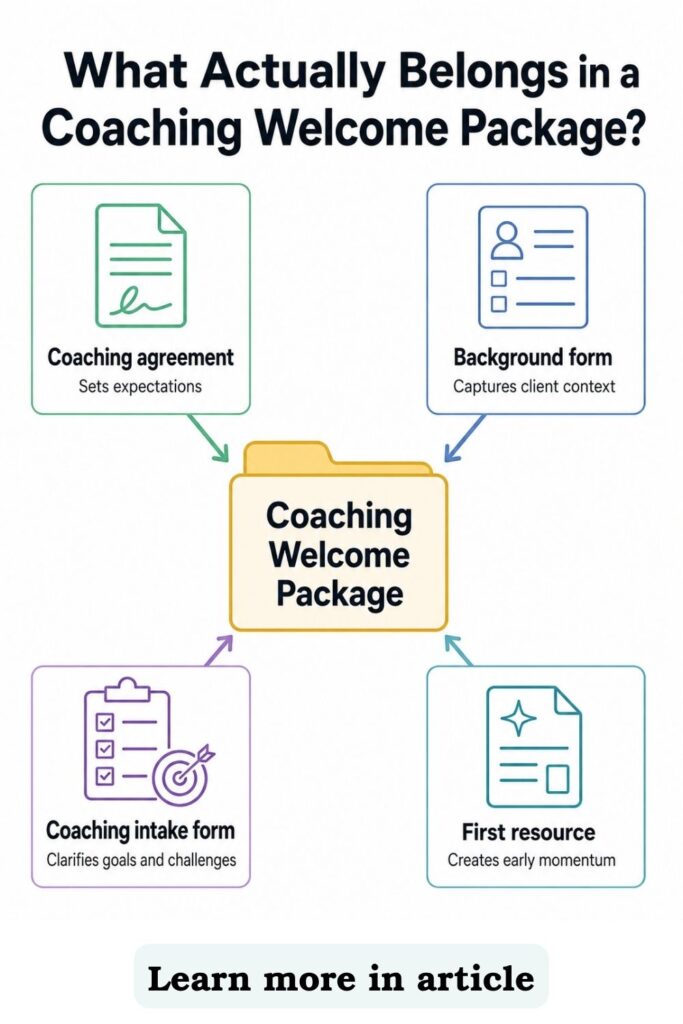
A strong welcome package may include:
- Coaching agreement
- Client background information
- Coaching intake questions
- Any additional forms, worksheets, resources, or materials the coach wants to attach
That structure keeps onboarding organized.
The coaching agreement sets expectations. The background information gives you practical context. The coaching intake questions capture goals, challenges, successes, expectations, and focus areas.
Then any additional forms or resources can support the client’s first step.
SEE ALSO: If you’re a coach looking to streamline your administrative tasks and save time, check out our Coaching Administration Software. It’s a simple, effective solution designed to help you focus less on paperwork and more on what matters—coaching your clients. From scheduling to client management, our software gives you the tools to run your business efficiently. Ready to reclaim your time and boost productivity? Click or tap here.

For example, you might attach:
- First-session preparation worksheet
- Values worksheet
- Goal-setting resource
- Coaching process overview
- Client expectations guide
- Program roadmap
- Reflection prompt
- Helpful PDF or resource
But do not turn your welcome package into a dumping ground.
More is not always better. The welcome package should guide the client into the relationship, not overwhelm them with every resource, framework, handout, and worksheet you have.
The job is simple: orient the client, set expectations, collect the right information, prepare the first session, and create trust.
That is enough.
If you use LCH Core, the welcome package can organize this in a repeatable way through the coaching agreement, personal information form, coaching information form, and any additional forms or resources you attach.
SEE ALSO: If you’re a coach looking to streamline your administrative tasks and save time, check out our Coaching Administration Software. It’s a simple, effective solution designed to help you focus less on paperwork and more on what matters—coaching your clients. From scheduling to client management, our software gives you the tools to run your business efficiently. Ready to reclaim your time and boost productivity? Click or tap here.
How does onboarding affect client retention?
Client retention starts before the first session.
That is the part many coaches miss.
Clients are more likely to stay engaged when they understand the process, know what to do next, and can see that coaching is structured.
A strong onboarding process tells the client that the relationship has a path. It also sets up the tools that support retention later, including goals, action items, session notes, journals, worksheets, session prep questions, feedback surveys, and progress tracking.
This matters because clients do not only renew because the sessions are good.
They renew because they can see value. They renew because they feel progress. They renew because the coaching relationship continues between sessions.
SEE ALSO: If you’re a coach looking to streamline your administrative tasks and save time, check out our Coaching Administration Software. It’s a simple, effective solution designed to help you focus less on paperwork and more on what matters—coaching your clients. From scheduling to client management, our software gives you the tools to run your business efficiently. Ready to reclaim your time and boost productivity? Click or tap here.
Your onboarding should set that expectation early.
The simple math of client lifetime value for coaches is that stronger retention, better expansion, and better-timed referrals often matter more than constantly chasing brand-new leads.
A coach who sees onboarding as part of retention will build a stronger business than a coach who treats onboarding as admin.
Common client onboarding mistakes coaches make
Even experienced coaches make onboarding mistakes.
Most of them are not coaching problems. They are system problems.
Mistake 1: Treating onboarding like paperwork
Paperwork is only one part of onboarding.
SEE ALSO: If you’re a coach looking to streamline your administrative tasks and save time, check out our Coaching Administration Software. It’s a simple, effective solution designed to help you focus less on paperwork and more on what matters—coaching your clients. From scheduling to client management, our software gives you the tools to run your business efficiently. Ready to reclaim your time and boost productivity? Click or tap here.
A coaching agreement and forms matter, but they are not the full experience. Your onboarding should also create clarity, confidence, preparation, and momentum.
Mistake 2: Sending too many disconnected emails
Scattered emails create scattered clients.
One email has the agreement. Another has the background questions. Another has the coaching intake questions. Another has the call link. Another has the worksheet.
That is too much friction.
Your client should not have to search through their inbox to understand how to begin.
Mistake 3: Waiting until session one to gather important information
Session one should not be basic admin.
SEE ALSO: If you’re a coach looking to streamline your administrative tasks and save time, check out our Coaching Administration Software. It’s a simple, effective solution designed to help you focus less on paperwork and more on what matters—coaching your clients. From scheduling to client management, our software gives you the tools to run your business efficiently. Ready to reclaim your time and boost productivity? Click or tap here.
If you spend the first 20 minutes collecting background information, goals, challenges, and expectations that you could have gathered before the call, you lose coaching depth.
Use the onboarding forms before the session. Then use the session for insight, direction, and next steps.
Mistake 4: Using generic intake questions
Generic questions create generic information.
Your coaching intake questions should match your coaching offer.
A career coach may ask about work history, career goals, leadership challenges, and job search blockers. A wellness coach may ask about routines, energy, habits, stress patterns, and support systems. A business coach may ask about offers, revenue, audience, sales process, and current bottlenecks.
Your onboarding should reflect the transformation you sell.
SEE ALSO: If you’re a coach looking to streamline your administrative tasks and save time, check out our Coaching Administration Software. It’s a simple, effective solution designed to help you focus less on paperwork and more on what matters—coaching your clients. From scheduling to client management, our software gives you the tools to run your business efficiently. Ready to reclaim your time and boost productivity? Click or tap here.
Mistake 5: Confusing onboarding questions with session prep questions
Onboarding questions and session prep questions do different jobs.
Onboarding questions prepare the client relationship. Session prep questions prepare a specific session.
If you use them interchangeably, your process can become confusing. Keep onboarding focused on starting the relationship, and use session prep questions to help future sessions begin with a clear agenda.
Mistake 6: Not reviewing onboarding materials before the first session
Collecting information is not enough.
You need to use it.
Review the agreement status, background information, coaching intake responses, and any first worksheet or resource before the call. That is what turns onboarding into better coaching.
SEE ALSO: If you’re a coach looking to streamline your administrative tasks and save time, check out our Coaching Administration Software. It’s a simple, effective solution designed to help you focus less on paperwork and more on what matters—coaching your clients. From scheduling to client management, our software gives you the tools to run your business efficiently. Ready to reclaim your time and boost productivity? Click or tap here.
Mistake 7: Giving clients no clear place to access materials
Clients should know where everything lives.
If their materials are spread across email, PDFs, folders, payment platforms, scheduling tools, and text messages, the client experience feels messy.
A client portal/app makes the coaching relationship easier to follow.
Mistake 8: Rebuilding onboarding manually for every client
If you rewrite the same welcome message, resend the same forms, chase the same signatures, and recreate the same prep steps for every new client, your process is costing you time.
That time adds up.
A repeatable workflow helps you onboard faster, look more professional, and protect your coaching energy.
SEE ALSO: If you’re a coach looking to streamline your administrative tasks and save time, check out our Coaching Administration Software. It’s a simple, effective solution designed to help you focus less on paperwork and more on what matters—coaching your clients. From scheduling to client management, our software gives you the tools to run your business efficiently. Ready to reclaim your time and boost productivity? Click or tap here.
If your onboarding depends on remembering every small admin step manually, it is time to think beyond intake and build a coaching workflow that repeats cleanly.
How LCH Core supports a professional onboarding system
A professional onboarding system can be built manually.
You can run it through email, PDFs, folders, calendar links, forms, and reminders. The problem is that manual systems get harder to manage as your client base grows.
This is where coaching software becomes useful.
LCH Core is not the strategy. The strategy is the onboarding workflow you build.
LCH Core is one way to run that workflow more cleanly, with the client-start pieces connected in one place.
SEE ALSO: If you’re a coach looking to streamline your administrative tasks and save time, check out our Coaching Administration Software. It’s a simple, effective solution designed to help you focus less on paperwork and more on what matters—coaching your clients. From scheduling to client management, our software gives you the tools to run your business efficiently. Ready to reclaim your time and boost productivity? Click or tap here.
For onboarding, the useful pieces are specific.
Welcome packages
Welcome packages help you send the core onboarding pieces in one organized flow.
Inside LCH Core, a welcome package can include the coaching agreement, personal information form, coaching information form, and any additional forms, worksheets, or resources you attach.
This gives coaches a repeatable way to send the right materials at the start of the client relationship.
Coaching agreements
Coaching agreements can be included inside the welcome package and signed electronically.
That keeps the agreement inside the onboarding process instead of making it a separate manual step.
SEE ALSO: If you’re a coach looking to streamline your administrative tasks and save time, check out our Coaching Administration Software. It’s a simple, effective solution designed to help you focus less on paperwork and more on what matters—coaching your clients. From scheduling to client management, our software gives you the tools to run your business efficiently. Ready to reclaim your time and boost productivity? Click or tap here.
Personal information forms
Personal information forms collect biographical and background information.
This helps you understand the client’s context and keep useful details stored in the client record.
Coaching information forms
Coaching information forms collect what the client wants from coaching.
This may include goals, challenges, successes, expectations, and what they want to focus on. This is the part most coaches think of as the coaching intake process.
Additional forms, worksheets, and resources
You can attach other forms, worksheets, or resources to the welcome package.
This lets you include a first-session prep worksheet, a reflection tool, a coaching roadmap, or a helpful resource without sending separate emails.
SEE ALSO: If you’re a coach looking to streamline your administrative tasks and save time, check out our Coaching Administration Software. It’s a simple, effective solution designed to help you focus less on paperwork and more on what matters—coaching your clients. From scheduling to client management, our software gives you the tools to run your business efficiently. Ready to reclaim your time and boost productivity? Click or tap here.
Contacts/client records
Contacts/client records keep client information, signed agreements, forms, notes, and progress connected to the right person.
This matters as your client base grows. You need a clean way to find what happened, what was sent, what was completed, and what still needs attention.
Client portal/app
The client portal/app gives clients a central place to access their coaching materials.
This keeps the experience organized from the client side, not just the coach side.
Coaching plans
Coaching plans are short pre-session question sets that help sessions start with focus.
They usually ask a few questions about wins, challenges, and what the client wants to focus on next. They work like a simple agenda so the session starts with context instead of guesswork.
SEE ALSO: If you’re a coach looking to streamline your administrative tasks and save time, check out our Coaching Administration Software. It’s a simple, effective solution designed to help you focus less on paperwork and more on what matters—coaching your clients. From scheduling to client management, our software gives you the tools to run your business efficiently. Ready to reclaim your time and boost productivity? Click or tap here.
Session notes, action items, goals, journals, worksheets, and progress tracking
These tools connect onboarding to the rest of the coaching relationship.
Session notes help you track what happened. Action items help clients follow through. Goals help clients see the bigger path. Journals and worksheets support reflection. Progress tracking helps make the value of coaching more visible.
A deeper look at LCH Core features can help coaches compare how onboarding, client management, coaching tools, scheduling, and progress tracking work together inside one system.
Coaches comparing options may also want to look at LCH Core pricing to decide which plan fits their current number of active clients, courses, and growth goals.
Who is this kind of onboarding system best for?
A professional onboarding system is useful for any coach who wants the client experience to feel clear from the beginning.
It becomes especially important if you:
SEE ALSO: If you’re a coach looking to streamline your administrative tasks and save time, check out our Coaching Administration Software. It’s a simple, effective solution designed to help you focus less on paperwork and more on what matters—coaching your clients. From scheduling to client management, our software gives you the tools to run your business efficiently. Ready to reclaim your time and boost productivity? Click or tap here.
- Sell coaching packages
- Work with ongoing clients
- Use agreements or onboarding forms
- Want clients to access materials in one place
- Assign worksheets, goals, journals, or action items
- Use pre-session questions to focus sessions
- Want session notes and client history organized
- Need scheduling and billing/payments connected to client delivery
- Want to reduce repetitive admin
- Want to grow beyond one-to-one sessions with packages, courses, digital products, or bundles
If you only work with one or two clients and prefer a fully manual process, a simple folder and checklist may be enough.
But if you are building a serious coaching business, onboarding should not live in random email threads forever.
Your client journey needs infrastructure.
How can you build your first coaching onboarding workflow this week?
You do not need to rebuild your whole business this week.
Start with one onboarding workflow.
Step 1: Choose your standard onboarding path
Decide what every new client needs before session one.
SEE ALSO: If you’re a coach looking to streamline your administrative tasks and save time, check out our Coaching Administration Software. It’s a simple, effective solution designed to help you focus less on paperwork and more on what matters—coaching your clients. From scheduling to client management, our software gives you the tools to run your business efficiently. Ready to reclaim your time and boost productivity? Click or tap here.
At minimum, include:
- Booking confirmation
- Welcome message
- Coaching agreement
- Client background questions
- Coaching intake questions
- First-session prep
- Client material access
- Coach review checklist
This becomes your baseline.
Step 2: Write your welcome message
Keep it short.
Tell the client what happens next, what they need to complete, and how to prepare.
Do not over-explain. A client who knows the next step feels guided.
Step 3: Prepare your coaching agreement and intake questions
Your agreement should clarify expectations.
SEE ALSO: If you’re a coach looking to streamline your administrative tasks and save time, check out our Coaching Administration Software. It’s a simple, effective solution designed to help you focus less on paperwork and more on what matters—coaching your clients. From scheduling to client management, our software gives you the tools to run your business efficiently. Ready to reclaim your time and boost productivity? Click or tap here.
Your background questions should collect useful client context. Your coaching intake questions should collect goals, challenges, successes, expectations, and what the client wants from coaching.
Both should match your actual coaching process.
Step 4: Add one first-session prep tool
Choose one simple prep tool.
This could be a worksheet, reflection prompt, goal-setting question, short action item, or resource.
The goal is to help the client arrive ready.
Step 5: Decide how session prep questions will support future sessions
Do not confuse this with onboarding.
SEE ALSO: If you’re a coach looking to streamline your administrative tasks and save time, check out our Coaching Administration Software. It’s a simple, effective solution designed to help you focus less on paperwork and more on what matters—coaching your clients. From scheduling to client management, our software gives you the tools to run your business efficiently. Ready to reclaim your time and boost productivity? Click or tap here.
Session prep questions are short questions that help each session start with focus. Decide whether you want clients to answer a few agenda-style questions before recurring sessions, such as wins, challenges, and what they want to focus on next.
Step 6: Create your coach review checklist
Before session one, review the same items every time.
Agreement status.
Background information.
Coaching intake responses.
Goals.
SEE ALSO: If you’re a coach looking to streamline your administrative tasks and save time, check out our Coaching Administration Software. It’s a simple, effective solution designed to help you focus less on paperwork and more on what matters—coaching your clients. From scheduling to client management, our software gives you the tools to run your business efficiently. Ready to reclaim your time and boost productivity? Click or tap here.
Challenges.
Successes.
Prep worksheet.
Any expectations to clarify.
This is what makes the first session stronger.
Step 7: Make the workflow repeatable
Once the workflow is clear, turn it into a repeatable system.
SEE ALSO: If you’re a coach looking to streamline your administrative tasks and save time, check out our Coaching Administration Software. It’s a simple, effective solution designed to help you focus less on paperwork and more on what matters—coaching your clients. From scheduling to client management, our software gives you the tools to run your business efficiently. Ready to reclaim your time and boost productivity? Click or tap here.
That may be a checklist, a template folder, a set of automated emails, or a coaching platform that keeps onboarding connected to the client record.
If you use LCH Core, this can be built with welcome packages, coaching agreements, personal information forms, coaching information forms, client portal/app access, coaching plans, session notes, and contacts/client records.
The goal is simple: stop relying on memory and start running a professional onboarding process every time.

FAQ about client onboarding for coaches
What is client onboarding for coaches?
Client onboarding for coaches is the repeatable process that prepares a new client to begin coaching.
It usually includes booking confirmation, a welcome message, coaching agreement, client background questions, coaching intake questions, first-session prep, client material access, and coach review before session one.
What should I send a new coaching client before the first session?
You should send a new coaching client a booking confirmation, welcome message, coaching agreement, background questions, coaching intake questions, first-session prep instructions, and any worksheet or resource they need before the first session.
SEE ALSO: If you’re a coach looking to streamline your administrative tasks and save time, check out our Coaching Administration Software. It’s a simple, effective solution designed to help you focus less on paperwork and more on what matters—coaching your clients. From scheduling to client management, our software gives you the tools to run your business efficiently. Ready to reclaim your time and boost productivity? Click or tap here.
If you use a client portal/app, you should also send access instructions so the client knows where to find their materials.
What should be included in a coaching welcome package?
A coaching welcome package should include a coaching agreement, client background information, coaching intake questions, and any additional forms, worksheets, or resources the coach wants to attach.
The welcome package should guide the client into the relationship, not overwhelm them with every document you have.
What is the difference between client background questions and coaching intake questions?
Client background questions collect biographical and practical context, while coaching intake questions collect goals, challenges, successes, expectations, and what the client wants from coaching.
Together, they create a more complete intake process without forcing everything into one oversized form.
Are session prep questions part of onboarding?
Session prep questions are related to the client experience, but they are not the same as onboarding.
SEE ALSO: If you’re a coach looking to streamline your administrative tasks and save time, check out our Coaching Administration Software. It’s a simple, effective solution designed to help you focus less on paperwork and more on what matters—coaching your clients. From scheduling to client management, our software gives you the tools to run your business efficiently. Ready to reclaim your time and boost productivity? Click or tap here.
Onboarding prepares the client relationship before coaching begins. Session prep questions prepare each individual session by helping the client name wins, challenges, and what they want to focus on next.
Do life coaches need a coaching agreement?
Life coaches should use a coaching agreement to clarify expectations, boundaries, payment terms, rescheduling rules, confidentiality boundaries, and client responsibilities.
A coaching agreement supports a more professional relationship, but coaches should consult a qualified legal professional for legal requirements in their location and niche.
What is the best new client workflow for coaches?
The best new client workflow for coaches includes booking confirmation, welcome message, coaching agreement, client background questions, coaching intake questions, first-session prep, client material access, first action item or resource, and coach review.
This gives both coach and client a clear path before session one.
What is client onboarding software for coaches?
Client onboarding software for coaches helps manage the setup process for new clients, including agreements, forms, welcome packages, client records, scheduling, portal access, and session preparation.
SEE ALSO: If you’re a coach looking to streamline your administrative tasks and save time, check out our Coaching Administration Software. It’s a simple, effective solution designed to help you focus less on paperwork and more on what matters—coaching your clients. From scheduling to client management, our software gives you the tools to run your business efficiently. Ready to reclaim your time and boost productivity? Click or tap here.
The right system helps coaches stop rebuilding onboarding manually and gives clients a clearer, more professional starting experience.
Final thoughts: Your onboarding is the first client transformation signal
Your onboarding tells the client how you run your coaching business.
It shows whether your process is clear or improvised. It shows whether your client experience is organized or scattered. It shows whether you are simply taking appointments or running a professional coaching system.
You do not need an overbuilt onboarding process.
You need a clear one.
A strong client onboarding system helps you save time, prepare better sessions, create confidence, protect expectations, and start every coaching relationship with more momentum.
SEE ALSO: If you’re a coach looking to streamline your administrative tasks and save time, check out our Coaching Administration Software. It’s a simple, effective solution designed to help you focus less on paperwork and more on what matters—coaching your clients. From scheduling to client management, our software gives you the tools to run your business efficiently. Ready to reclaim your time and boost productivity? Click or tap here.
That is how professional coaches build trust before the first session even begins.
Ready to make your client onboarding more professional, organized, and repeatable?
Author Bio
Life Coach Hub helps coaches build more professional, profitable, and scalable coaching businesses with practical systems for client-getting, client-keeping, onboarding, delivery, and offer growth.
LCH Core is the all-in-one coaching business system built for how coaches actually work, bringing Public Booking Page, Public Store, lead magnets, welcome packages, coaching agreements, personal information forms, coaching information forms, client portal/app, scheduling, billing/payments, packages, courses, digital products, and the Coaching Success Stack into one organized system.